

• Login
  • Register
Wednesday, June 10, 2026
Generate QR Codes
Free PDF Tools
Free Web Audit 360
TechSansar.com
  • Services
  • Top Posts
  • Nepali IT
  • Startups
  • Tech News
  • Categories
    • News
      • Tech
No Result
View All Result
TechSansar.com
  • Services
  • Top Posts
  • Nepali IT
  • Startups
  • Tech News
  • Categories
    • News
      • Tech
No Result
View All Result
TechSansar.com

How to connect to internet using 3G EVDO Devices?

ts by ts
March 1, 2010
in Broadband, Internetworking, Support, Telecom, Tips & Tricks, Tutorials
A A
0

EVDO device connected on laptopIf you are used to with the present data service of CDMA Sky Mobile or UTL’s UIM Internet service, then the connecting procedure is the same as there for EVDO cases too. Simply, assign your EVDO devices as the modem (connected to your laptop via cable or Bluetooth), use the username and password provided by NTC and connect to the internet via the dialup connection. You will have the broadband experience thru dial up.

Suggested reading: Frequently Asked Questions (FAQs) about cdma2000 1xEvDO of Nepal Telecom

EVDO  service can be accessed using various devices. The device should be 800MHz, CDMA 1x EV-DO, Rev A with backward compatible to Rel 0.
Insert the EVDO R-UIM into any EVDO device. Connect the device to the computer. Follow the instructions for installing the device as a modem in the computer. Use either the dialing software provided with the device or create a dialup connection with the device as a modem. Use the username, password and dialing number to connect to the internet.

NEPAL TELECOM EVDO 3G DATA DEVICES, How to connect to internet using 3G EVDO Devices?

Username: EVDO Phone Number (97XXXXXXXX)
Password: EVDO Phone Number (97XXXXXXXX)
Dialing Number: #777
In order to see step by step process of connecting to the internet using Nepal Telecom’s EVDO Wireless Broadband Service, choose your computer’s operating system (Right Click on My Computer and click Properties to see whether your computer’s Operating System (XP/Vista/7) is 32 or 64 bit.
For 32 bit computers, Connect to internet using CDMA or GSM Mobile Phones- Spice Mobile D88n/gold
For 64 bit computers, Set up Spice D-88 as a CDMA or GPRS modem in Windows Vista 64x- driver download
Illustrations shown in this external site are for Windows Vista 32/64-bit for Spice Mobile D88, D88n and Spice Mobile Gold. The procedure is the same.
Related Post

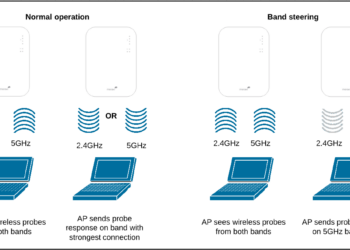
What is band steering and why you should use it #WiFi #Networking

How to reduce background noise during Microsoft Teams or Zoom meetings

What is VoLTE & how to activate VoLTE for Nepal Telecom mobile SIM

6 simple yet effect ways to speed up your Windows 10 computer

Tags: 3GBroadbandEVDOInternetNTCTelecom
Share212Tweet133Send
Previous Post

Technical aspect of cdma2000 1xEV for EVDO Wireless Broadband Service of Nepal Telecom

Next Post

Set up a Bluetooth enabled device on your computer and on the mobile device

Related Posts

Band steering operation
Internetworking

What is band steering and why you should use it #WiFi #Networking

With an ever-increasing number of Internet-connected devices, it is ideal to have a seamless Wireless network where clients are on...

by TechSansar Editor
July 26, 2024
Reduce background noise during Microsoft Teams or Zoom meetings
How To

How to reduce background noise during Microsoft Teams or Zoom meetings

In this tutorial, we present how to reduce external noise from your microphone during Microsoft Teams and Zoom sessions. We...

by TechSansar Editor
May 20, 2021

Recent News

Illustrating Sovereign AI Compute in Nepal Syuchatar with circuitary

Syuchatar in Regional Context: A Policy Commentary on Sovereign AI Compute

May 31, 2026
Technical explainer on Nepal's announced Sovereign AI Compute Center at Syuchatar. What Budget 2083/84 specified, what it didn't, and the four design questions that decide its outcome.

Nepal’s Sovereign AI Compute Center at Syuchatar: A Technical Explainer

May 30, 2026
Nepal budget 2083-84 on IT

Nepal Budget 2083/84: A Comprehensive Reference on the Tech, IT and Innovation Provisions

May 30, 2026
Success Story of a GovTech

Nepal’s Department of IT Saved Rs 98 Crore with Centralized A2P Messaging: A GovTech Success Story

December 31, 2025
Hostinger
  • News
  • Tech
  • Event
Generate free QR Codes with QRSansar

TechSansar.com, ICT For Media Pvt Ltd, Regd #249079/077/078, VAT #609868175.
By continuing to use this site, you agree to our cookies and privacy policies.
Here is our Do Not Track (DNT) Guide. Hosted on a VPS and uses this free PDF tool. You can also subscribe to our newsletter.
Creating tech contents for the b̶o̶t̶s̶ humans since 2009 • Team TechSansar • ICT4M with ❤ from Nepal

Welcome Back!

Login to your account below

Forgotten Password? Sign Up

Create New Account!

Fill the forms below to register

All fields are required. Log In

Retrieve your password

Please enter your username or email address to reset your password.

Log In
No Result
View All Result
  • Home
  • Shop peripherals
  • Buy softwares
  • Top websites
  • Contact us

TechSansar.com, ICT For Media Pvt Ltd, Regd #249079/077/078, VAT #609868175.
By continuing to use this site, you agree to our cookies and privacy policies.
Here is our Do Not Track (DNT) Guide. Hosted on a VPS and uses this free PDF tool. You can also subscribe to our newsletter.
Creating tech contents for the b̶o̶t̶s̶ humans since 2009 • Team TechSansar • ICT4M with ❤ from Nepal




