

• Login
  • Register
Wednesday, June 10, 2026
Generate QR Codes
Free PDF Tools
Free Web Audit 360
TechSansar.com
  • Services
  • Top Posts
  • Nepali IT
  • Startups
  • Tech News
  • Categories
    • News
      • Tech
No Result
View All Result
TechSansar.com
  • Services
  • Top Posts
  • Nepali IT
  • Startups
  • Tech News
  • Categories
    • News
      • Tech
No Result
View All Result
TechSansar.com

Frequently Asked Questions (FAQs) about cdma2000 1xEvDO of Nepal Telecom

ts by ts
March 2, 2010
in Broadband, Internetworking, Support, Telecom
A A
0

Related Post

What is band steering and why you should use it #WiFi #Networking

What is VoLTE & how to activate VoLTE for Nepal Telecom mobile SIM

Why You Shouldn’t Abandon Your Business Number

Nepal Telecom launches 4.5G VoLTE in 32 more cities

Smart guys at TechSansar.com have tried to compile a comprehensive list of FAQs related to 3G wireless cdma2000 1xEvDO as a Nepal Telecom’s wireless broadband internet service EVDO. Got to ask one, write to us or comment.
Before proceeding, we suggest you to look at a list of recent EVDO articles.

  • How to connect to internet using 3G EVDO Devices?
  • NT EVDO – Wireless Broadband Internet in Nepal
  • Technical aspect of cdma2000 1xEVDo for EVDO Wireless Broadband Service of Nepal Telecom

Are EVDO and EvDO the same thing? You’re using it haphazardly.
Not at all. It might seem but nowhere in TechSansar.com we are using EvDO for EVDO. EvDO is the communication system or protocol developed from 3GPP (3rd Generation Partnership Project) internationally whereas EVDO is just the name given by Nepal Telecom to it’s service.
This is the service(EVDO) based on cdma2000 1xEvDO (please, quote that it is cdma2000 not CDMA200 as you seen on Telecom’s site)
Where can I use EVDO service?
EVDO service is roaming enabled. This means that you can use it anywhere in the specified EVDO coverage in a country.
How to connect to EVDO?
(The details on our next article, visual step by step guide and a movie for the same.)
How much does it cost for Telecom’s EVDO service?
To smart to answer that, we just visited the Telecom office and found that you can purchase a new R-UIM (similar to SIM card of 2G cellular GSM) for NRs 2500 which includes data value of NRs 2000. Get your Nepalese citizenship id card to the nearest Nepal Telecom office for subscribing to 3G data service.
How to recharge the EVDO account?
Recharging can be done with the same way as recharging any other CDMA phone. Use the dialing software provided with the device to dial 1415 and follow the instructions or use any PSTN/Post-Paid CDMA phone to dial 1415 and follow the instructions.
Is EVDO expensive for general users?
We would say NO. You can spend data value of NRs 2000 for months. There is no limitation of the 30 days for the cash to be spent. The cost for 100Kb is NRs 0.25 but according to the Telecom, the special price of NRs 0.15 is set per 100Kb till new year 2067.
What is the range of EVDO base station?
EVDO base stations range extends from approximately 2 km in built up areas with lots of obstacles, to approximately 5 km in ideal conditions such as flat land.
What if there is no EVDO coverage?
Even if there is no EVDO coverage in certain areas, you can still access internet via CDMA2000 1x, PSDN (Public Switched Data Network) service.
Where can I get the EVDO device?
Since the service is enabled in the R-UIM, you can use it in any EVDO device available in the market which has provision to insert R-UIM but the device should meet the technical specification as specified above.
How to connect to internet using 3G EVDO Devices?
(The details on our next article, visual step by step guide and a movie for the same.)
Where should I contact for Nepal Telecom EVDO Service?
You can contact Customer Care Centers of the Telecom for services related to EVDO. This service is at present limited to few locales and cities only.
Sundhara Telecom Office,Teku
Ph: 014239945
Chabahil Telecom Office
Ph: 014469366
Gongabu Telecom Office
Ph: 014350005
Patan Telecom Office
Ph: 015555676
Chhauni Telecom Office
Ph: 014285000
Thimi Telecom Office
Ph: 016638900
Pokhara Telecom Office
Ph: 061528777
DIRECTORATE OF WIRELESS TELEPHONE
NEPAL TELECOM
CHHAUNI
PHONE: 014272757
FAX: 014270521
Official link to NT’s EVDO
Tags: 3GCDMAEVDOInternetNTCTelecomTips & Tricks
Share212Tweet133Send
Previous Post

Set up a Bluetooth enabled device on your computer and on the mobile device

Next Post

NT EVDO – Wireless Broadband Internet in Nepal

Related Posts

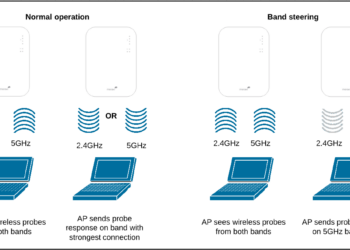
Band steering operation
Internetworking

What is band steering and why you should use it #WiFi #Networking

With an ever-increasing number of Internet-connected devices, it is ideal to have a seamless Wireless network where clients are on...

by TechSansar Editor
July 26, 2024
How to activate NT 4G VoLTE Service in Nepal
Telecom

What is VoLTE & how to activate VoLTE for Nepal Telecom mobile SIM

VoLTE, in simple terms, refers to Voice over LTE aka 4G cellular network - meaning voice calls are served over...

by TechSansar Editor
May 17, 2021

Recent News

Illustrating Sovereign AI Compute in Nepal Syuchatar with circuitary

Syuchatar in Regional Context: A Policy Commentary on Sovereign AI Compute

May 31, 2026
Technical explainer on Nepal's announced Sovereign AI Compute Center at Syuchatar. What Budget 2083/84 specified, what it didn't, and the four design questions that decide its outcome.

Nepal’s Sovereign AI Compute Center at Syuchatar: A Technical Explainer

May 30, 2026
Nepal budget 2083-84 on IT

Nepal Budget 2083/84: A Comprehensive Reference on the Tech, IT and Innovation Provisions

May 30, 2026
Success Story of a GovTech

Nepal’s Department of IT Saved Rs 98 Crore with Centralized A2P Messaging: A GovTech Success Story

December 31, 2025
Hostinger
  • News
  • Tech
  • Event
Generate free QR Codes with QRSansar

TechSansar.com, ICT For Media Pvt Ltd, Regd #249079/077/078, VAT #609868175.
By continuing to use this site, you agree to our cookies and privacy policies.
Here is our Do Not Track (DNT) Guide. Hosted on a VPS and uses this free PDF tool. You can also subscribe to our newsletter.
Creating tech contents for the b̶o̶t̶s̶ humans since 2009 • Team TechSansar • ICT4M with ❤ from Nepal

Welcome Back!

Login to your account below

Forgotten Password? Sign Up

Create New Account!

Fill the forms below to register

All fields are required. Log In

Retrieve your password

Please enter your username or email address to reset your password.

Log In
No Result
View All Result
  • Home
  • Shop peripherals
  • Buy softwares
  • Top websites
  • Contact us

TechSansar.com, ICT For Media Pvt Ltd, Regd #249079/077/078, VAT #609868175.
By continuing to use this site, you agree to our cookies and privacy policies.
Here is our Do Not Track (DNT) Guide. Hosted on a VPS and uses this free PDF tool. You can also subscribe to our newsletter.
Creating tech contents for the b̶o̶t̶s̶ humans since 2009 • Team TechSansar • ICT4M with ❤ from Nepal




