


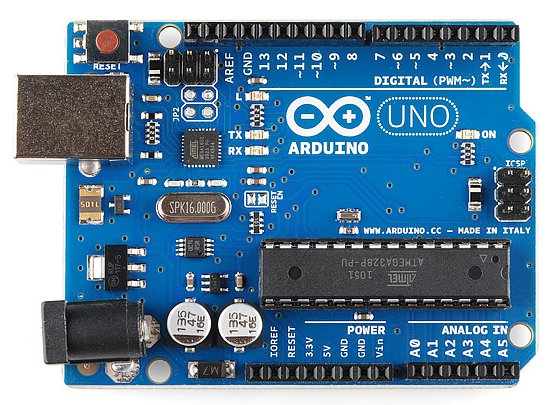
Linear actuators are integral devices in our world. Usually, they are used for opening, closing doors, drawers and so on. Geeks can build a robot and raise its limbs with linear actuators. Of course, you may not need a home robot, but controlling automatic movements of your furniture really comes in handy sometimes. Especially when it can be controlled with the help of compatible board that makes the controlling process much easier. Today, we will give you a comprehensive guide on how to control linear actuator with a joystick, rotation knob, three buttons with preset positions. And you will never believe, but you will hardly be in a driver’s seat. The ruler is the code. Let us tell you about each possible way – on how to control a linear actuator with Arduino.
Understanding Linear Actuator
First of all, let us make sure that you know what a basic linear actuator is. This is a device that does linear movements in and out. Strengths, lengths, speed. You can choose whatever works best for your project. We have them used in car stereos to push the display out and bring it back.
To begin with, you will have to plug the linear actuator into different ports. Having an Arduino by your side, 4 actuators can work simultaneously with this code. That is why the first thing you want to do is to upload the code to your Arduino. There are a bunch of them that work for electric actuators all around the Internet. Be careful as the code differs depending on the things you plug in.
Direct Control Arduino

The first type of connection is a direct plug. It is usually carried out with the help of the slider. A 0 to 1023 signal comes in off of analog sensors and that’s out to the PMW output on linear actuator. This is the way we have one of these mapped each letter actuator and they actually remove the position that the sensor is that so.
Therefore, if you move the slider, actuator is pulling in, it’s going to go out until it reaches the position that that’s at and the bigger one is usually attached to the knob. Therefore, when you rotate the knob, the actuator’s in and out.
Incremental Control
This type of control occurs with the help of a joystick. A joystick usually goes into the sensor shield and an output goes to the linear actuator. A pleasant thing to know is that as you move the joystick in different directions, you have your actuator moving in one and then the opposite direction. The time of shaft’s movement will depend on the time you’re pulling the joystick.
Everything comes from the code where the dead band in the center of the joystick is looking to see the joist that has moved out of that dead band. When it comes out in one direction we start incrementing the position of the actuator in one direction by small units and vice versa.
Press control
This one is for those who want to preset positions because the project requires 2 or 3 positions within the code. This is the sample code to get you started on how to do that. You take the input through three different buttons in order to tell the position you know to move.
But, of course, you don’t need to have buttons, so you can just do it directly in code or any other sensors that you may have set up to trigger your response from your actuator. You want to have your buttons plugged into the sensor shield. Again, the code moves it to different directions. For instance, if you have three buttons, it will stop on the necessary length three times. The code will include all the preset settings.
You see, Arduino would be quite helpful when using an actuator. It happened so that my colleagues and I decided to install a lock with combination on our door, because we were always running in and out of the office, not to mention that we used to forget keys at work all the time. Therefore, we decided that the combination lock is an excellent way out.
Having rummaged Chinese markets and eBay, I did not find anything cheap and more or less serious and decided to make it myself. The Arduino platform was chosen for its simplicity, since I had no experience with micro-controllers at all. And you know what, it had worked out just great.
Thanks for reading my experience on controlling linear actuators with Arduino. Suggestions welcomed.









where can i get Linear Actuators in Kathmandu, Nepal. Any idea and how much will be cost, size.
where can i get Linear Actuators in Kathmandu, Nepal. Any idea and how much will be cost, size.
Did you try bangemuda,mahankal, mahabouddha? These are the places for these micro electronics.
Did you try bangemuda,mahankal, mahabouddha? These are the places for these micro electronics.