• Login
  • Register
Sunday, July 19, 2026
Generate QR Codes
Free PDF Tools
Free Web Audit 360
TechSansar.com
  • Services
  • Top Posts
  • Nepali IT
  • Startups
  • Tech News
  • Categories
    • News
      • Tech
No Result
View All Result
TechSansar.com
  • Services
  • Top Posts
  • Nepali IT
  • Startups
  • Tech News
  • Categories
    • News
      • Tech
No Result
View All Result
TechSansar.com

ADSL : Installation Procedures

ts by ts
October 18, 2009
in ADSL
A A
0

Related Post

How to Configure Cisco Linksys X2000 / X3000 Series Router with NTC ADSL Internet

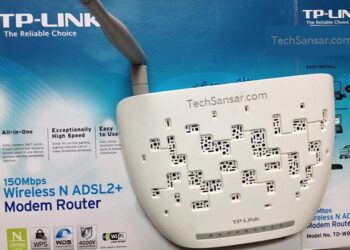
How to Configure TP-Link Router for NTC ADSL

Time for Wireless Pocket Router, what’s that?

Comparing Internet Speeds in countries – Nepal falls at the near end

The Installation Procedures For Connecting ADSL Are Listed as:

  • Disconnect your telephone line from distribution point inside your house
  • Connect it to the input of splitter
  • Connect DSL modem in the splitter interface marked ‘modem’ with R-J11 connecter
  • Connect your telephone set in the splitter interface marked ‘phone’
  • The computers are connected with RJ 45 or USB interface to connect to the DSL Modem.
  • Then create the PPPoE Dial Up connection.
  • Because ADSL can be used for broadband access and involves a wide range of multimedia services, you are recommended use a computer with such configurations :
    • Shall be equipped with the 10M/100M Ethernet adapter or USB 1.1. or higher interface
    • Shall support the TCP/IP protocol.
    • CPU above Pentium III, 128 M memory, 10 G hard disk, graphic accelerating adapter with above 2 M displays memory, audio adapter and sound box.
    • Operating systems can be Windows 98SE, Windows Me, Windows 2000 or Windows XP. For system configuration in the WEB interface, the browser of Internet Explorer V 6.0 or later.
  • If you need extensions, connect it after splitter only. (Important!)
    install

connect right
connect wrong

Tags: ADSLNTC
Share212Tweet133Send
Previous Post

ADSL Modem (CPE) Configuration

Next Post

Fake Antivirus Attacks, Demands Ransom

Related Posts

ADSL

How to Configure Cisco Linksys X2000 / X3000 Series Router with NTC ADSL Internet

This is yet another series of article on Configuring Nepal Telecom's ADSL Internet service in consumer modems and routers -...

by ts
October 12, 2013
TP Link Wireless N ADSL2+ Modem Router - Test device to configure NTC ADSL Settings
ADSL

How to Configure TP-Link Router for NTC ADSL

Like Digicom, another popular and most used ADSL modem/router in Nepal is TP-Link router. Here we present a step by...

by ts
October 11, 2013

Recent News

Gen Z Protest Kathmandu 2025

July 4, 2026
The Launch That Moved Syuchatar: YetiCloud.AI and the Night Nepal’s Compute Policy Went Public

The Launch That Moved Syuchatar: YetiCloud.AI and the Night Nepal’s Compute Policy Went Public

July 4, 2026
Illustrating Sovereign AI Compute in Nepal Syuchatar with circuitary

Syuchatar in Regional Context: A Policy Commentary on Sovereign AI Compute

May 31, 2026
Technical explainer on Nepal's announced Sovereign AI Compute Center at Syuchatar. What Budget 2083/84 specified, what it didn't, and the four design questions that decide its outcome.

Nepal’s Sovereign AI Compute Center at Syuchatar: A Technical Explainer

May 30, 2026
Hostinger
  • News
  • Tech
  • Event
Generate free QR Codes with QRSansar

TechSansar.com, ICT For Media Pvt Ltd, Regd #249079/077/078, VAT #609868175.
By continuing to use this site, you agree to our cookies and privacy policies.
Here is our Do Not Track (DNT) Guide. Hosted on a VPS and uses this free PDF tool. You can also subscribe to our newsletter.
Creating tech contents for the b̶o̶t̶s̶ humans since 2009 • Team TechSansar • ICT4M with ❤ from Nepal

Welcome Back!

Login to your account below

Forgotten Password? Sign Up

Create New Account!

Fill the forms below to register

All fields are required. Log In

Retrieve your password

Please enter your username or email address to reset your password.

Log In
No Result
View All Result
  • Home page
  • Shop peripherals
  • Buy software
  • Featured articles
  • My account

TechSansar.com, ICT For Media Pvt Ltd, Regd #249079/077/078, VAT #609868175.
By continuing to use this site, you agree to our cookies and privacy policies.
Here is our Do Not Track (DNT) Guide. Hosted on a VPS and uses this free PDF tool. You can also subscribe to our newsletter.
Creating tech contents for the b̶o̶t̶s̶ humans since 2009 • Team TechSansar • ICT4M with ❤ from Nepal