• Login
  • Register
Thursday, June 18, 2026
Generate QR Codes
Free PDF Tools
Free Web Audit 360
TechSansar.com
  • Services
  • Top Posts
  • Nepali IT
  • Startups
  • Tech News
  • Categories
    • News
      • Tech
No Result
View All Result
TechSansar.com
  • Services
  • Top Posts
  • Nepali IT
  • Startups
  • Tech News
  • Categories
    • News
      • Tech
No Result
View All Result
TechSansar.com

How to use NTC SIM with Ncell data Connect device [Hack Tutorial]

ts by ts
March 30, 2013
in Featured, Nepali IT, Tech Fun, Telecom
A A
0
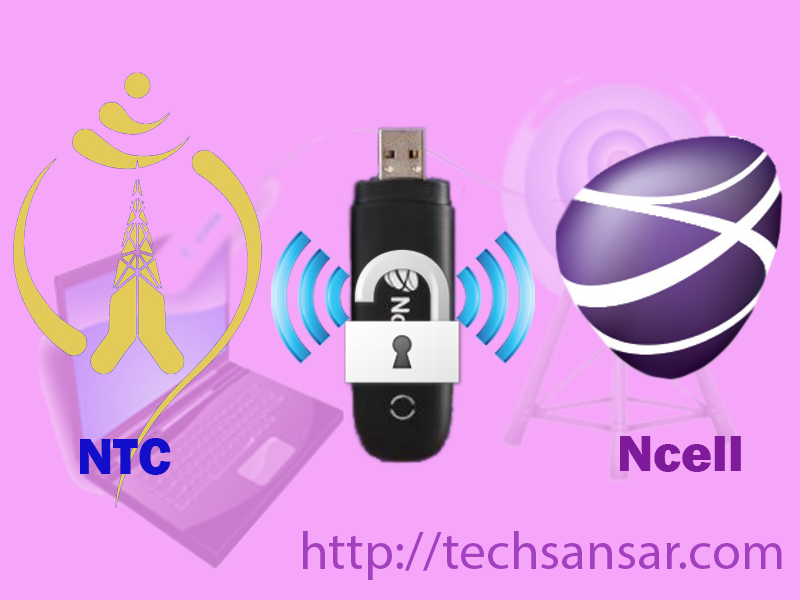
Unlock Ncell Connect Device to use NTC 3G

Unlock Ncell Connect Device to use NTC 3G

Related Post

Syuchatar in Regional Context: A Policy Commentary on Sovereign AI Compute

Nepal’s Sovereign AI Compute Center at Syuchatar: A Technical Explainer

Nepal Budget 2083/84: A Comprehensive Reference on the Tech, IT and Innovation Provisions

Nepal’s Department of IT Saved Rs 98 Crore with Centralized A2P Messaging: A GovTech Success Story

Ncell is supposed to be one of the fastest internet service providers trending in Nepal. A small Data Connect device with a Ncell Data 3G SIM inside, provides with 3.6MBps of internet speed. Ncell is determined to introduce new innovative services and facilities to the people of Nepal. It has already received license to operate an ISP, and started with “Ncell Connect” as a high speed wireless data service providing branded Wi-Fi router as well.

With great services you need big investments too. Ncell is also thought to be expensive when it comes to GPRS Service. On the same board, there is NTC to compete on market. NTC also has its 3G service activated on the major cities of Nepal and in compared with Ncell, the tariff plan is some what cheaper. As in Ncell’s Prepaid Sim, it costs Rs.8 per MB and in data SIM it cost Rs.2 per MB, where as in NTC Prepaid Sim it cost 0.05 Paisa per 100kb which is about Rs 0.6 per MB.

So, on this hack tutorial you will be learning how to use NTC SIM with Ncell data connect Device. Neither Ncell nor NTC has been acknowledged about this process. Try it at your own risk and do not attempt to enter the wrong unlock code several times. It may lead to damage of your Ncell connect. This hack was tried on the USB Ncell connect, we will also be discussing about hacking Ncell WiFi router’s Setting asap.

  1. Disconnect ncell connect from PC and remove NCELL connect data card from Ncell connect .
  2. Write down IMEI of Ncell connect to a paper or in your computer (IMEI no. is at back of Ncell connect device at the place where data sim is inserted).
  3. Open Huawei Unlocker Download it here.
    Hack your Ncell Connect to use low price internet
    Hack your Ncell Connect to use low price internet
  4. Enter IMEI of NCell connect device and press Calculate Code
Unlock Ncell Connect with Simple Hack
Unlock Ncell Connect Device with Simple Hack
  1. Insert NCELL connect to the USB port without sim card.
  2. Paste the unlock code generated from Huawei Unlocker and unlock the device.
    Generate Unlock Code for Ncell Connect Device Hack
    Generate Unlock Code for Ncell Connect Device Hack
  3. Insert NTC sim card and start configuring the profile management under option of Ncell connect software.
    Namaste(NTC) 3G setting on Ncell Connect
    Namaste(NTC) 3G setting on Ncell Connect
  4. Create a new profile with name NTC (as you wish) and APN static and write down at APN as “ntnet” without commas.
    NTC ntnet Setting after unlocking Ncell Connect Device
    NTC ntnet Setting after unlocking Ncell Connect Device
  5. Click on save and do not modify other settings for NTC.
  6. Restart ncell connect software and select profile as ntc instead of ncell and connect.
  7. Enjoy surfing internet from NTC sim card (3G sim preferred for fast connection).
    Connect NTC 3G network from Ncell Connect Device
    Connect NTC 3G network from Ncell Connect Device
  8. You can change your 2G sim to 3G sim at NTC office (postpaid free; prepaid Rs 100 charge to change from 2G to 3G SIM).

Note: If step 6 did not work then insert NTC sim card in step 5 and repeat the process.

So, by here you can use NTC 3G Internet Service on to Ncell Connect device, by simply unlock Ncell Connect. Some may take it as Hacking Ncell Network.

If you find it difficult to generate Unlock Code of your Ncell Connect Device, leave your IMEI number on comment box, we will generate unlock codes for you. Again to see your IMEI number Open Ncell Connect Software, Go to Tools – -> Diagnostics and find it on Device tab.

Thanks to Madhusudhan Baral for Screenshots.

 Please, do not public post your IMEI number as it is your device’s unique identity and others can manipulate it.  
Tags: GPRSHacksNcellNTCUnlock
Share213Tweet133Send
Previous Post

Free web hosting for your Website or Blog, New Year 2070 BS Giveaway #giveawayNP

Next Post

Get the best display on your monitor – guide to screen size vs pixels

Related Posts

Illustrating Sovereign AI Compute in Nepal Syuchatar with circuitary
Featured

Syuchatar in Regional Context: A Policy Commentary on Sovereign AI Compute

This article is Part 2B of a TechSansar series on the FY 2083/84 Nepalese federal budget. Part 2A set out...

by E Lamsal
May 31, 2026
Technical explainer on Nepal's announced Sovereign AI Compute Center at Syuchatar. What Budget 2083/84 specified, what it didn't, and the four design questions that decide its outcome.
Featured

Nepal’s Sovereign AI Compute Center at Syuchatar: A Technical Explainer

This article is Part 2A of a TechSansar series on the FY 2083/84 federal budget. Part 1 set out the...

by E Lamsal
May 30, 2026

Recent News

Illustrating Sovereign AI Compute in Nepal Syuchatar with circuitary

Syuchatar in Regional Context: A Policy Commentary on Sovereign AI Compute

May 31, 2026
Technical explainer on Nepal's announced Sovereign AI Compute Center at Syuchatar. What Budget 2083/84 specified, what it didn't, and the four design questions that decide its outcome.

Nepal’s Sovereign AI Compute Center at Syuchatar: A Technical Explainer

May 30, 2026
Nepal budget 2083-84 on IT

Nepal Budget 2083/84: A Comprehensive Reference on the Tech, IT and Innovation Provisions

May 30, 2026
Success Story of a GovTech

Nepal’s Department of IT Saved Rs 98 Crore with Centralized A2P Messaging: A GovTech Success Story

December 31, 2025
Hostinger
  • News
  • Tech
  • Event
Generate free QR Codes with QRSansar

TechSansar.com, ICT For Media Pvt Ltd, Regd #249079/077/078, VAT #609868175.
By continuing to use this site, you agree to our cookies and privacy policies.
Here is our Do Not Track (DNT) Guide. Hosted on a VPS and uses this free PDF tool. You can also subscribe to our newsletter.
Creating tech contents for the b̶o̶t̶s̶ humans since 2009 • Team TechSansar • ICT4M with ❤ from Nepal

Welcome Back!

Login to your account below

Forgotten Password? Sign Up

Create New Account!

Fill the forms below to register

All fields are required. Log In

Retrieve your password

Please enter your username or email address to reset your password.

Log In
No Result
View All Result
  • Home
  • Shop peripherals
  • Buy softwares
  • Top websites
  • Contact us

TechSansar.com, ICT For Media Pvt Ltd, Regd #249079/077/078, VAT #609868175.
By continuing to use this site, you agree to our cookies and privacy policies.
Here is our Do Not Track (DNT) Guide. Hosted on a VPS and uses this free PDF tool. You can also subscribe to our newsletter.
Creating tech contents for the b̶o̶t̶s̶ humans since 2009 • Team TechSansar • ICT4M with ❤ from Nepal