• Login
  • Register
Tuesday, July 7, 2026
Generate QR Codes
Free PDF Tools
Free Web Audit 360
TechSansar.com
  • Services
  • Top Posts
  • Nepali IT
  • Startups
  • Tech News
  • Categories
    • News
      • Tech
No Result
View All Result
TechSansar.com
  • Services
  • Top Posts
  • Nepali IT
  • Startups
  • Tech News
  • Categories
    • News
      • Tech
No Result
View All Result
TechSansar.com

Create your own Hotspot for Free

ts by ts
July 11, 2011
in Gadgets, Internetworking, Software
A A
0

Related Post

What is band steering and why you should use it #WiFi #Networking

Power Automate is once again getting a new name! #PowerAutomate #Flow #Workflows

Samsung Galaxy Buds Pro – Truly Adventurous

Session vs Token Authentication in Information Security

Hotspot is a feature through which multiple users can access the wireless internet service by providing required credentials. Here, today we are going to show you how the hotspot can be created using minimal available resources around us. Using this hotspot wifiyou can seamlessly connect your wireless devices and let your friends share your connection.
Before moving, Download the Connectify client. Install it, after installing check out to system tray for the Connectify icon.
Open it and then Set the required wifi name after then, Set a password of 8 characters or more then  Click the “Start Hotspot” button. Once connection is created, anyone can access to the hotspot by providing correct password. The lalest version of Connectify even identifies PCs and devices that are connected to it. You can see them in the window labeled “Connected Clients”.
Now you can connect your wi-fi enabled mobile phones, laptops, and other gadgets using this WiFi hotspot. This enables you to create your own Hotspot, not exactly the wireless network. However, you can create a wireless home networking using free virtual wi-fi hotspot method which we have shown previously (see below). You can get connectify pro to do more with (see if you are eligible to get pro license of connectify for free.)
Recommended reading: Read our previous article on Wireless Home Networking with Virtual WiFi Hotspot.
Tags: ComputingMicrosoftSupportTips & TricksTutorialsWi-Fi
Share212Tweet133Send
Previous Post

Blogger gets a totally new Interface

Next Post

Social Networking – My Understandings & Perspectives

Related Posts

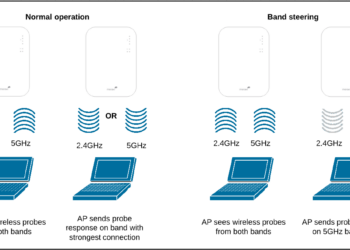
Band steering operation
Internetworking

What is band steering and why you should use it #WiFi #Networking

With an ever-increasing number of Internet-connected devices, it is ideal to have a seamless Wireless network where clients are on...

by TechSansar Editor
July 26, 2024
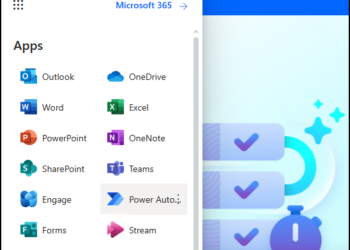
Power Automate app link menu
Software

Power Automate is once again getting a new name! #PowerAutomate #Flow #Workflows

Not a surprise, especially when Microsoft renames its tools. Power Automate, which was renamed as Microsoft Flows, will now be...

by tsGeek
July 24, 2024

Recent News

Illustrating Sovereign AI Compute in Nepal Syuchatar with circuitary

Syuchatar in Regional Context: A Policy Commentary on Sovereign AI Compute

May 31, 2026
Technical explainer on Nepal's announced Sovereign AI Compute Center at Syuchatar. What Budget 2083/84 specified, what it didn't, and the four design questions that decide its outcome.

Nepal’s Sovereign AI Compute Center at Syuchatar: A Technical Explainer

May 30, 2026
Nepal budget 2083-84 on IT

Nepal Budget 2083/84: A Comprehensive Reference on the Tech, IT and Innovation Provisions

May 30, 2026
Success Story of a GovTech

Nepal’s Department of IT Saved Rs 98 Crore with Centralized A2P Messaging: A GovTech Success Story

December 31, 2025
Hostinger
  • News
  • Tech
  • Event
Generate free QR Codes with QRSansar

TechSansar.com, ICT For Media Pvt Ltd, Regd #249079/077/078, VAT #609868175.
By continuing to use this site, you agree to our cookies and privacy policies.
Here is our Do Not Track (DNT) Guide. Hosted on a VPS and uses this free PDF tool. You can also subscribe to our newsletter.
Creating tech contents for the b̶o̶t̶s̶ humans since 2009 • Team TechSansar • ICT4M with ❤ from Nepal

Welcome Back!

Login to your account below

Forgotten Password? Sign Up

Create New Account!

Fill the forms below to register

All fields are required. Log In

Retrieve your password

Please enter your username or email address to reset your password.

Log In
No Result
View All Result
  • Home page
  • Shop peripherals
  • Buy software
  • Featured articles
  • My account

TechSansar.com, ICT For Media Pvt Ltd, Regd #249079/077/078, VAT #609868175.
By continuing to use this site, you agree to our cookies and privacy policies.
Here is our Do Not Track (DNT) Guide. Hosted on a VPS and uses this free PDF tool. You can also subscribe to our newsletter.
Creating tech contents for the b̶o̶t̶s̶ humans since 2009 • Team TechSansar • ICT4M with ❤ from Nepal