

• Login
  • Register
Sunday, July 19, 2026
Generate QR Codes
Free PDF Tools
Free Web Audit 360
TechSansar.com
  • Services
  • Top Posts
  • Nepali IT
  • Startups
  • Tech News
  • Categories
    • News
      • Tech
No Result
View All Result
TechSansar.com
  • Services
  • Top Posts
  • Nepali IT
  • Startups
  • Tech News
  • Categories
    • News
      • Tech
No Result
View All Result
TechSansar.com

Setup Internet Access in MikroTik RouterBoard in 2 minutes (static IP)

TechSansar Editor by TechSansar Editor
May 26, 2018
in Internetworking
A A
1

Related Post

What is band steering and why you should use it #WiFi #Networking

7 Easy Fixes for Slow Wi-Fi, how to improve Wi-Fi signal coverage!

IPv6 Scenario in Nepal with IPv6 deployment statistics

Awesome Home and Office Router ASUS RT-AC66U (Review), possibilities are unlimited with Asus RT-AC66U

MikroTik is no doubt one of the most advanced routers for users of all kinds – it is the RouterBoard OS that makes MikroTik a router of need and choice. In this video tutorial, we demo how to setup an Internet access in MikroTik Router – 951Ui-2HnD – in less than 2 minutes for static IP address allocation.

Let’s configure a basic Mikrotik RouterBoard Router for Static IP based Internet access.
Open Mikrotik router’s dash 192.168.88.1 and login. Our router model here is RouterBoard 951Ui-2HnD.
As soon as you login, check your Quick Set dropdown menu and select the preferred connection type here we are going with WISP AP.

MikroTik RouterBoard device
Select Static in Address Acquisition and supply IP address, Netmask, Gateway and DNS records from the ISP. If allowed you can use Google Public DNS or OpenDNS in the DNS service.
Save the config. And reboot the device if needed. That’s all you should now be connected.
The exact same thing (plus more) can be achieved even in lesser time using WinBox. You can see your prior settings. Plus you can have a ready Script for future needs as well.
Check your Internet connection speed. That’s all from the MikroTik side.
Time to check advanced settings as needed – say Wireless password, DHCP allocation and others.
Some advance users might need other options for WISP AP to CPE (Customer Premises Equipment), Home AP, PTP Bridge mode.
Terminal users, you are covered as well!
More on Quick Setup Guide and Warranty Information card of your MikroTik RouterBoard router.

Visit our Routers and Tutorial section to learn more about routers and their configuration.
Tags: RouterTutorials
Share213Tweet133Send
Previous Post

Subisu Conclave 2018 ICT Rural Connectivity

Next Post

नेपालमा इन्टरनेट महँगिने, सरकारले लगायो थप १३ प्रतिशत कर

Related Posts

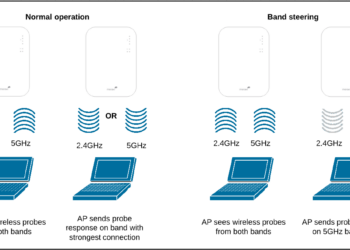
Band steering operation
Internetworking

What is band steering and why you should use it #WiFi #Networking

With an ever-increasing number of Internet-connected devices, it is ideal to have a seamless Wireless network where clients are on...


by TechSansar Editor
July 26, 2024
Improve wifi signal coverage
Internetworking

7 Easy Fixes for Slow Wi-Fi, how to improve Wi-Fi signal coverage!

Often time we come across situations where we struggle to either maintain that only one bar of the WiFi signal...

by TechSansar Editor
July 22, 2019

Comments 1

  1. joe smith says:
    8 years ago

    Are Mikro Tik routers are good to use? Is it better than Netgear routers? right now I am using Netgear routers and I need better routers. the netgear router support usa is very much supportive to their customer. so I need the same support team of other routers. Please help me.

Recent News

Gen Z Protest Kathmandu 2025

July 4, 2026
The Launch That Moved Syuchatar: YetiCloud.AI and the Night Nepal’s Compute Policy Went Public

The Launch That Moved Syuchatar: YetiCloud.AI and the Night Nepal’s Compute Policy Went Public

July 4, 2026
Illustrating Sovereign AI Compute in Nepal Syuchatar with circuitary

Syuchatar in Regional Context: A Policy Commentary on Sovereign AI Compute

May 31, 2026
Technical explainer on Nepal's announced Sovereign AI Compute Center at Syuchatar. What Budget 2083/84 specified, what it didn't, and the four design questions that decide its outcome.

Nepal’s Sovereign AI Compute Center at Syuchatar: A Technical Explainer

May 30, 2026
Hostinger
  • News
  • Tech
  • Event
Generate free QR Codes with QRSansar

TechSansar.com, ICT For Media Pvt Ltd, Regd #249079/077/078, VAT #609868175.
By continuing to use this site, you agree to our cookies and privacy policies.
Here is our Do Not Track (DNT) Guide. Hosted on a VPS and uses this free PDF tool. You can also subscribe to our newsletter.
Creating tech contents for the b̶o̶t̶s̶ humans since 2009 • Team TechSansar • ICT4M with ❤ from Nepal

Welcome Back!

Login to your account below

Forgotten Password? Sign Up

Create New Account!

Fill the forms below to register

All fields are required. Log In

Retrieve your password

Please enter your username or email address to reset your password.

Log In
No Result
View All Result
  • Home page
  • Shop peripherals
  • Buy software
  • Featured articles
  • My account

TechSansar.com, ICT For Media Pvt Ltd, Regd #249079/077/078, VAT #609868175.
By continuing to use this site, you agree to our cookies and privacy policies.
Here is our Do Not Track (DNT) Guide. Hosted on a VPS and uses this free PDF tool. You can also subscribe to our newsletter.
Creating tech contents for the b̶o̶t̶s̶ humans since 2009 • Team TechSansar • ICT4M with ❤ from Nepal


